
Plate Simulation: Basic usage#
The main entry points to the various modules is the plate_simulation.ui.json
file. The ui.json has the dual purpose of (1) rendering a user-interface from
Geoscience ANALYST and (2) storing the input parameters chosen by the user for the
program to run. To learn more about the ui.json interface visit the
UIJson documentation page.
User-interface#
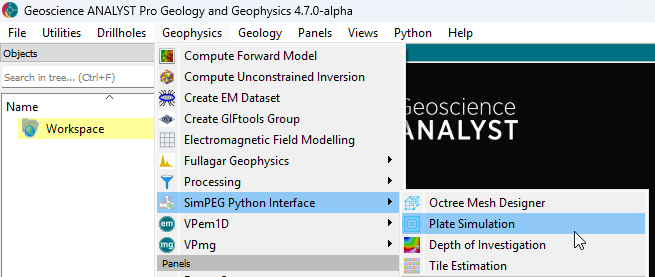
The user-interface is accessible from Geoscience ANALYST Pro Geophysics menu.
From command line#
The application can also be run from the command line if all required fields in the ui.json are provided. This is useful for more advanced users wanting to automate the mesh creation process or re-run an existing mesh with different parameters.
To run the application from the command line, use the following command in a Conda Prompt:
conda activate plate-simulation
python -m plate-simulation.driver input_file.json
where input_file.json is the path to the input file on disk.